
Store workflow concept
A clearer way to request stock checks from the dotcom team.
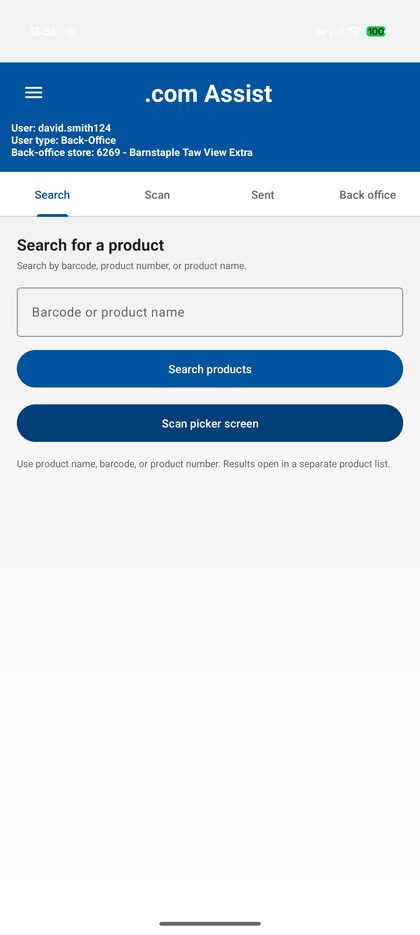
.com Assist is a working Android concept for store use. It lets pickers search or scan a product, confirm stock/location details, send a structured request to the dotcom back office, and receive the outcome without screenshots or manual message threads.
Problem Observed
When an item is not present on the shop floor, a picker may need to confirm whether stock is available elsewhere in the store and ask the dotcom team to check. The current workaround can involve searching in another app, taking a screenshot, switching to a communications app, writing a message, and later checking for replies.
This adds manual steps during a time-sensitive picking workflow. Over many orders, small interruptions can affect availability outcomes and make it harder to balance speed with customer fulfilment.
Design aim
- Reduce manual messaging and screenshots.
- Send consistent product and quantity information.
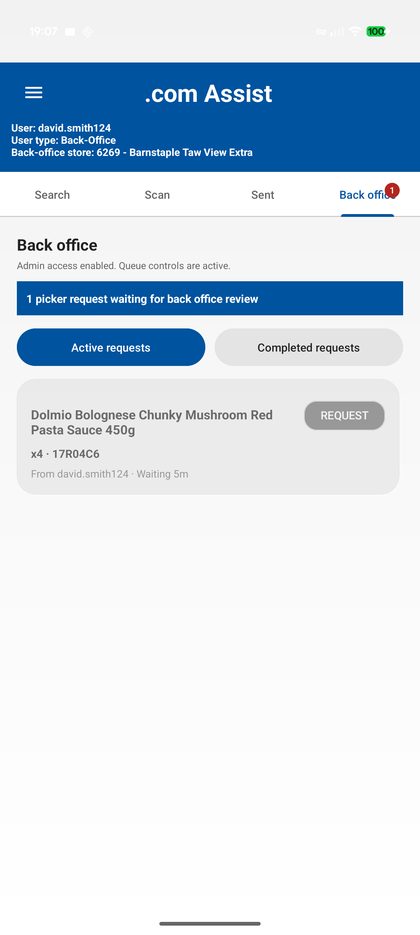
- Give back office a live queue of items to check.
- Return clear outcomes to the picker.
- Keep each store queue isolated by store code.
Workflow
| Picker | Searches manually, scans a product barcode, or scans the pickstick screen to detect the top pick item. |
|---|---|
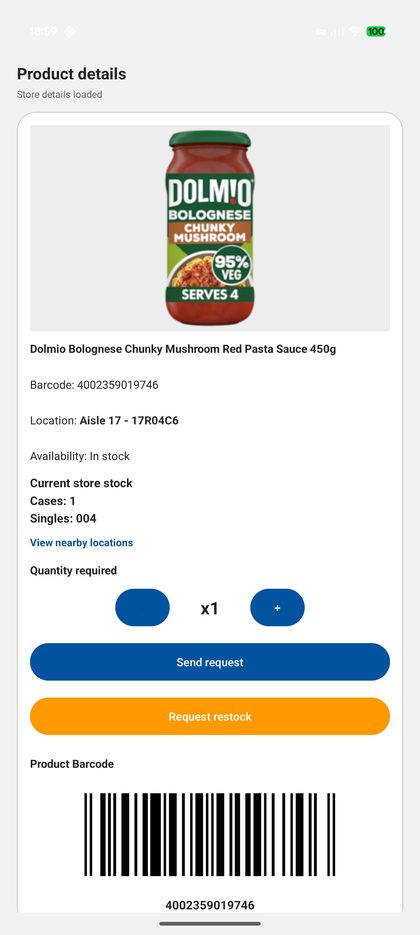
| Product confirmation | The app shows product name, barcode, image, stock data, and shelf locations. Location can help identify the correct product where search results are similar. |
| Request | If store stock is available, the picker sends the product and quantity to BackOffice. |
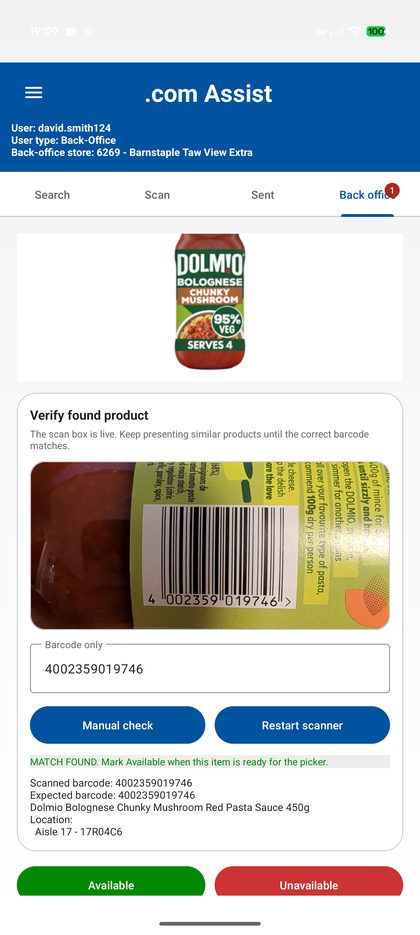
| BackOffice | The dotcom team receives the request in a store-specific queue, opens the product, visually checks the image/details, and scans found items to verify barcode match. |
| Outcome | The picker can view request status and receives notification updates when BackOffice marks the request as available, partially available, substitute found, or unavailable. |
Available in dotcom
Requested stock has been found and can be collected/scanned through the normal pick process.
Partially available / substitute
Some requested quantity has been found, or a substitute has been identified according to local process.
Unavailable
BackOffice could not locate the product. The picker follows the normal unavailable-item process.
Implementation Approach
For production, the recommended implementation is integration into the pickstick flow. The mobile app is a practical concept where direct pickstick firmware/software integration is not currently available.
Selected Screens
These screenshots show the current concept workflow. The full walkthrough is available in the quick start guide.
Testing Access
The Android APK download is password protected. The Operational/Deployment notes page is also protected and intended for technical/admin review.
For feedback, comments and suggestions: david@maxprovider.net